


 Github Stars:
 Last Commit:
  Created:


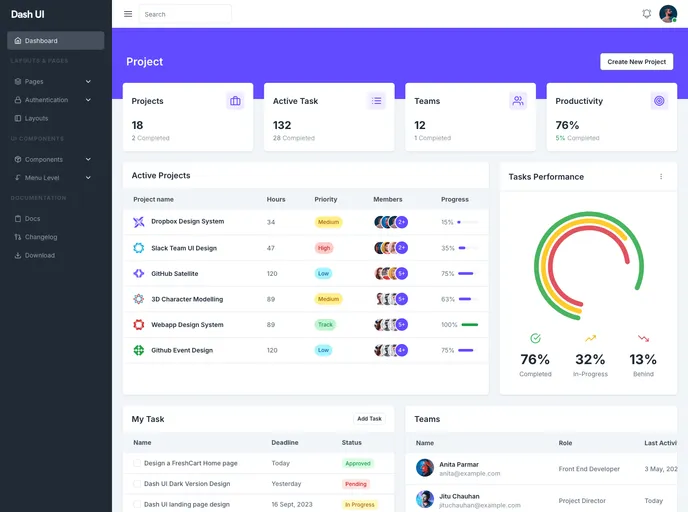
Overview
Dash UI is a TailwindCSS Admin & Dashboard Theme that offers both free and Pro templates fully coded with TailwindCSS. It is built using popular technologies such as TailwindCSS and Gulp, and provides a productive workflow for developers.
Features
- TailwindCSS: Utilizes the most popular CSS framework, TailwindCSS, to ensure a highly customizable and responsive design.
- Gulp: Uses Gulp as the workflow tool, allowing developers to automate repetitive tasks and improve productivity.
- Figma File: Includes a Figma file that can be used as a visual reference during development.
Installation
Follow these steps to install the Dash UI theme:
- Download or clone the repository.
- Extract the project’s zip file.
- Make sure you have Node installed on your machine.
- Install Gulp Command Line Interface (CLI) globally by running the command
npm install gulp-cli -gin your Terminal. - Open the main Dash UI folder in your Terminal.
- Run the command
npm installto download all the project dependencies, which will be stored in the node_modules folder. - Run
gulpto serve the project files using BrowserSync. This will compile the theme and open the index.html file in your main browser. - The production files will be generated in the dist directory.
Summary
Dash UI is a feature-rich TailwindCSS Admin & Dashboard Theme that offers a productive workflow for developers. With its use of TailwindCSS and Gulp, it provides a highly customizable design and automates repetitive tasks. The included Figma file serves as a helpful visual reference during development. Follow the installation guide to set up the theme and start building your admin or dashboard project. For any technical support or questions, feel free to contact the product’s support team.



































































