


 Github Stars:
 Last Commit:
  Created:


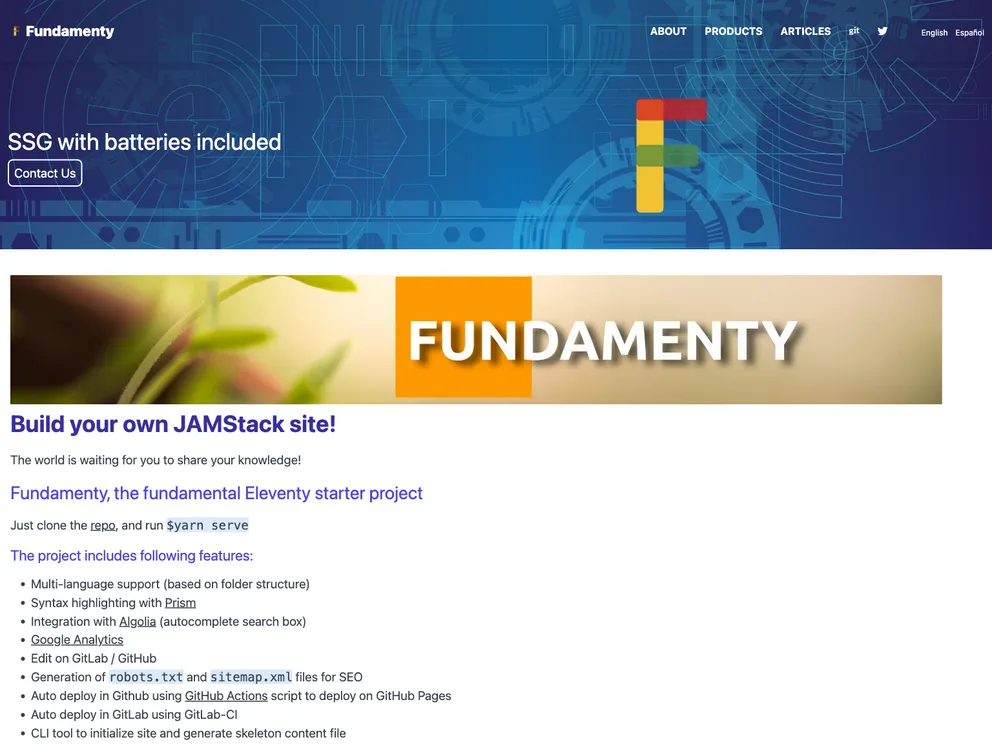
Overview
The FundamentyEleventy template project is a versatile template that offers a range of features including multilingual support, search functionality, syntax highlighting with Prism, integration with Algolia for autocomplete search box, Google Analytics integration, editing capability on GitLab/GitHub, generation of robots.txt and sitemap.xml files, and deployment scripts for GitHub Pages and GitLab Pages. The project uses various open source projects such as TailwindCSS, Webpack, postcss-loader, and dotenv.
Features
- Multi-language support: The template supports multiple languages, allowing for content to be displayed in different languages.
- Syntax highlighting with Prism: Syntax highlighting is implemented using the Prism syntax highlighter, enhancing the readability of code snippets.
- Integration with Algolia: The template integrates with Algolia to provide autocomplete search functionality, improving the search experience for users.
- Google Analytics integration: Google Analytics is integrated into the template, allowing for tracking and analysis of website traffic and user behavior.
- Edit on GitLab/GitHub: The template provides the ability to edit the project directly on GitLab or GitHub, simplifying the collaborative development process.
- Generation of robots.txt and sitemap.xml: The template automatically generates robots.txt and sitemap.xml files, improving search engine optimization.
- GitHub Actions script for deployment: The project includes a GitHub Actions script for seamless deployment on GitHub Pages.
- GitLab-CI script for deployment: Similarly, the project includes a GitLab-CI script for deployment on GitLab Pages.
- CLI tool for initialization and content generation: The template includes a convenient CLI tool for initializing the site and generating skeleton content files.
Installation
To install the FundamentyEleventy template, follow these steps:
- Clone the project repository.
git clone [repository-url]
- Install the project dependencies.
yarn install
Modify the
fundamenty.site.ymlfile according to your project requirements.Run the site initialization script.
yarn init-site
Note: If you cloned the project, using the --deletegit argument will delete the .git directory. The initialization script will generate two files: ./src/_data/site.json.gen and ./.env.gen. Rename these files by removing the .gen extension.
Summary
The FundamentyEleventy template project is a feature-rich template that offers multi-language support, search functionality, syntax highlighting, integration with Algolia and Google Analytics, and deployment scripts for GitLab and GitHub Pages. Its flexible components and easy installation process make it a convenient choice for developers looking to create websites with advanced features and modern capabilities.

































































