


 Github Stars:
 Last Commit:
  Created:



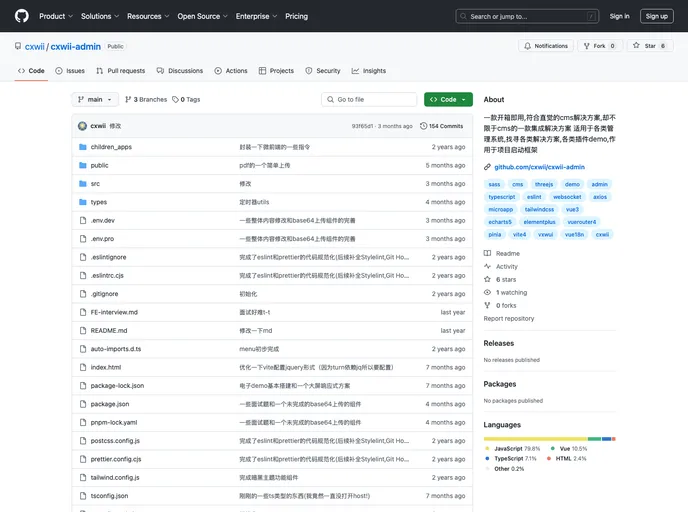
Overview
The cxwii-Admin is a software tool that allows users to utilize various technologies and features such as eslint and prettier for code formatting and quality improvement. With the ability to automatically fix and optimize code, this tool greatly simplifies the development process and improves the efficiency of working in a development environment. The popularity of cxwii-Admin is evident through the appreciation received from its users, as indicated by the significant number of stars it has received on its platform.
Features
- Technology Usage: cxwii-Admin leverages various technologies to enhance the development experience and streamline the coding workflow.
- Eslint and Prettier Integration: This enables the automation of code formatting and fixing, ensuring code quality and consistency throughout the project.
- Dependency Installation: cxwii-Admin provides a hassle-free way of installing all necessary dependencies required for efficient usage.
- Development Environment Integrated: The tool seamlessly integrates with the development environment, allowing for easy setup and configuration.
- Packaging for Deployment: cxwii-Admin provides a convenient option to package the developed code for deployment purposes.
Installation
To install cxwii-Admin and set it up in the development environment, follow these steps:
- Begin by installing the required dependencies. Run the following command:
npm install eslint prettier --save-dev
- Once the dependencies are installed, you can configure eslint and prettier by creating a .eslintrc.json file in the root directory of your project. Add the following code snippet to the .eslintrc.json file:
{
  "extends": ["eslint:recommended", "plugin:prettier/recommended"],
  "plugins": ["prettier"],
  "rules": {
    // Add any specific rules you want to enforce
  }
}
- Next, you can enable the automatic code fixing feature by adding a “lint” script in the package.json file. Add the following code snippet to the “scripts” section in package.json:
"scripts": {
  "lint": "eslint . --fix"
}
- Finally, you can run the development environment by executing the following command in the terminal:
npm run dev
Summary
The cxwii-Admin is a powerful tool that enhances the development experience by integrating important technologies like eslint and prettier. It simplifies the installation process, automates code fixing, and provides a seamless integration with the development environment. With its ability to streamline the workflow and improve code quality, cxwii-Admin is a valuable asset for developers and has garnered appreciation from its users.






























































