


 Github Stars:
 Last Commit:
  Created:





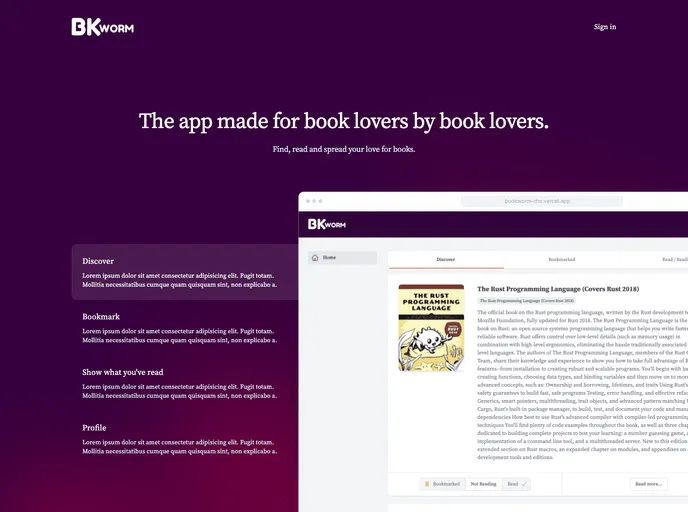
Overview
BK Worm is a modern web app designed specifically for book lovers. It offers a range of handy features to enhance the reading experience. Built using Remix, Tailwind CSS, Tailwind Headless UI, Prisma, Supabase, MSW, Playwright, ViTest, React Testing Library, React Icons, and Framer Motion, BK Worm is a comprehensive tool that combines aesthetics and functionality.
Features
- User-friendly interface: BK Worm provides a clean and intuitive interface, making it easy for users to navigate and access the app’s features.
- Book catalog: Users can browse through a extensive book catalog with a wide range of genres and categories to choose from, enabling them to find the perfect book for their reading preferences.
- Personalized recommendations: BK Worm utilizes advanced algorithms to suggest personalized book recommendations based on the user’s reading history, genres of interest, and ratings.
Installation
To install BK Worm, follow these steps:
- Clone the BK Worm repository from GitHub:
git clone https://github.com/bkworm/bkworm.git
- Install the dependencies using Yarn or npm:
cd bkworm
yarn install
or
cd bkworm
npm install
- Configure the environment variables:
Create a .env file in the root directory of the project and add the necessary environment variables.
- Start the development server:
yarn dev
or
npm run dev
- Access BK Worm in your browser:
Open your browser and go to http://localhost:3000 to access the BK Worm web app.
Summary
BK Worm is a modern web app designed for book lovers, offering a range of features to enhance the reading experience. With a user-friendly interface, extensive book catalog, and personalized recommendations, BK Worm provides an immersive and personalized approach to discover and enjoy books. To get started with BK Worm, simply clone the repository, install the dependencies, configure the environment variables, and start the development server.






























































