


 Github Stars:
 Last Commit:
  Created:



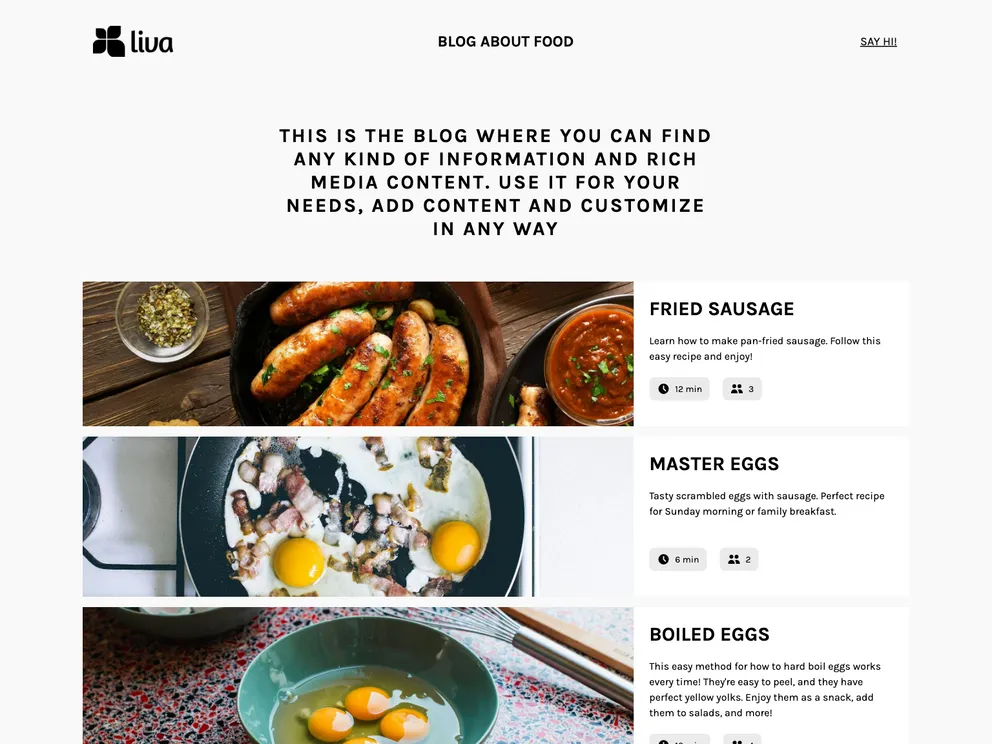
Overview
This is a Gatsby starter project specifically designed for recipes. It includes the necessary configuration files to quickly set up a React application with Gatsby. The project uses Flotiq as a headless CMS to store and manage data. It also utilizes Tailwind CSS framework and Flotiq components for React to enhance the styling and display of the recipe data.
Features
- Gatsby starter project for recipe websites
- Integration with Flotiq as a headless CMS
- Utilizes Tailwind CSS framework for styling
- Flotiq source plugin for fetching data from Flotiq
- Flotiq components for React to enhance data display
Installation
- Install Node.js version 18.0.0 or higher.
- Clone the project repository.
- Run the following command to start the project from the template using Flotiq CLI:
flotiqApKey - Read and write API key to your Flotiq account
projectName - project name or project path
- This command will create the project based on the template, install npm dependencies, set up variables in the .env file, and import example data to your Flotiq account.
- Configure environment variables in the .env.development file.
- Optional: If you wish to import example data to your account, run the following command:
flotiqApiKey - Your Read and write API key
- This will add four example objects to your Flotiq account.
- Navigate into the project directory and start the site by running
gatsby develop
- The site should now be running at http://localhost:8000.
Summary
The Gatsby starter for recipes with Flotiq source is a convenient boilerplate project for quickly setting up a recipe website. It integrates with Flotiq as a headless CMS, allowing for easy management of recipe data. The project also includes Tailwind CSS framework and Flotiq components for React, enhancing the styling and display of the recipe content.

































































