


 Github Stars:
 Last Commit:
  Created:



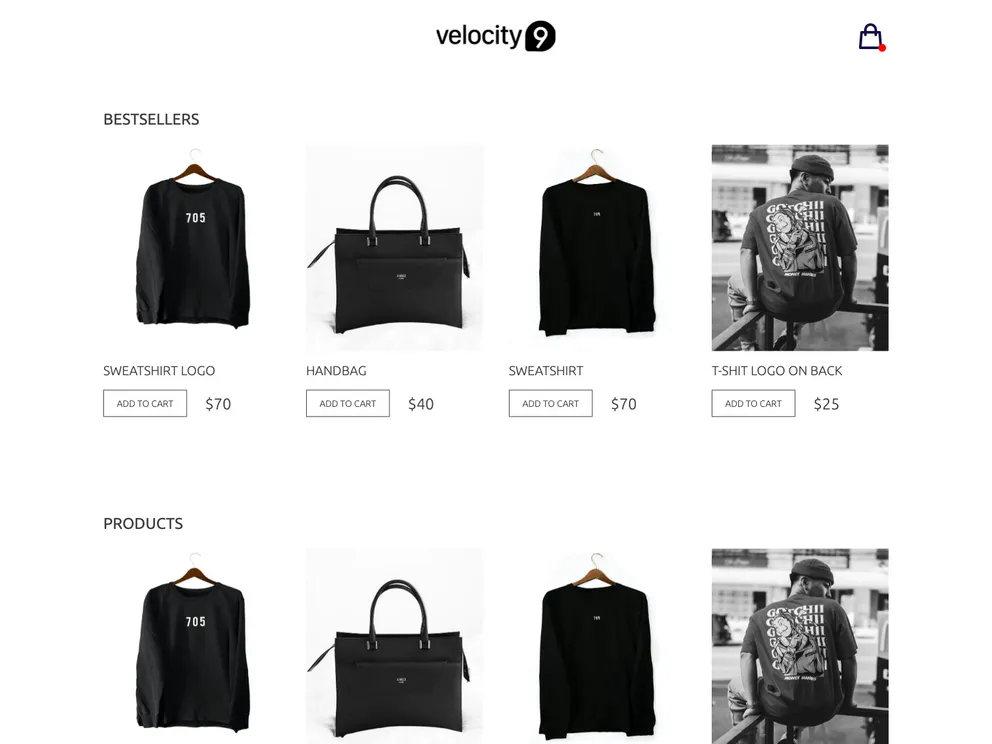
Overview
The Gatsby shop starter with Flotiq source is a boilerplate for starting an event website. It includes all the necessary configuration files for Gatsby, a fast app generator for React. The project uses Flotiq as a headless CMS for storing and fetching data. It also incorporates Tailwind, a utility-first CSS framework, and Flotiq components for React to beautifully display the data. This starter is compatible with node version 18.0.0 and above, as it requires Gatsby 5.
Features
- Gatsby configuration files for fast setup
- Integration with Flotiq as a headless CMS
- Use of Tailwind CSS framework
- React components designed for working with Flotiq Content Objects
Installation
To start the project, follow these steps:
- Start the project from a template using the Flotiq CLI:
flotiq new <projectName> -a <flotiqApiKey>
<projectName>: the path for the project. Use'.'to start the project in the current directory.<flotiqApiKey>: the read and write API key for your Flotiq account.
The above command will create the project based on the template and install the necessary npm dependencies.
Set up the environment variables in the
.envfile. The.env.developmentfile in the project’s root directory should have the following structure:
SNIPCART_API_KEY=<Your Snipcart API Key>
Note: To obtain your Snipcart API key, log in to the Snipcart website and navigate to your account options.
- To import example data to your Flotiq account, use the following command before running
gatsby develop:
flotiq import
- Make sure to replace
<flotiqApiKey>with your read and write API key.
- Finally, navigate to the project’s directory and run the development server with the following command:
gatsby develop
Your site will be running at http://localhost:8000.
Summary
The Gatsby shop starter with Flotiq source is a boilerplate that provides a quick and efficient way to set up an event website. It includes essential Gatsby configuration files and integrates with Flotiq as a headless CMS for managing content. The use of Tailwind CSS and Flotiq components for React ensures a visually appealing display of data. With easy installation steps and comprehensive documentation, this starter is a great choice for starting your project.

































































