


 Github Stars:
 Last Commit:
  Created: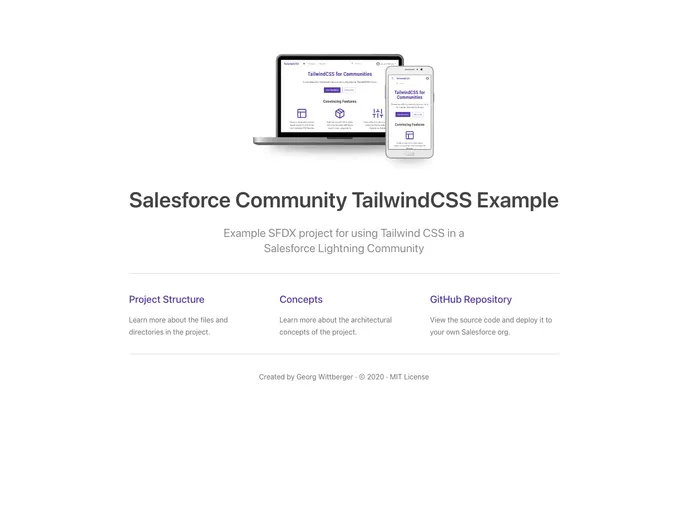
Overview
The Salesforce Community TailwindCSS Example serves as a practical guide for integrating the TailwindCSS library into Salesforce Lightning Communities. This project offers a straightforward approach for customizing the visual design of your community, allowing developers to leverage the utility-first CSS framework to enhance aesthetics and usability. In a world where user experience plays an essential role in customer engagement, this example empowers you to build a visually compelling and responsive community interface.
By utilizing this example project, you can explore the potential of TailwindCSS within your Salesforce ecosystem, giving your community a modern touch while maintaining the robust features Salesforce is known for. Whether you’re a seasoned developer or just starting, this project provides clear instructions to implement TailwindCSS effectively.
Features
- Custom Theme Layout: Integrate TailwindCSS globally with a custom theme layout and static resources tailored for your Salesforce community.
- Lightning Web Components: Utilize custom Lightning Web Components specifically designed to optimize basic page sections with TailwindCSS.
- Build Step Support: Implement a build step that facilitates TailwindCSS configuration and generates an optimized CSS file for improved performance.
- CSS Utility Classes: Access and use utility classes within both the theme layout and web components to achieve desirable styling effortlessly.
- Override Standard Styles: Easily override the styling of standard Salesforce components by employing relevant CSS utility classes for greater customization.
- Accessible Theme Settings: Ensure community theme settings regarding colors and fonts are readily available as utility classes, simplifying design choices.
- Utilize Experience Builder: Leverage the Experience Builder to customize layout components and integrate TailwindCSS web components for a tailored user experience.
- CSS Optimization: Build an optimized CSS file that enhances loading speed and efficiency, providing a smoother experience for community members.



































































