


 Github Stars:
 Last Commit:
  Created:


Overview
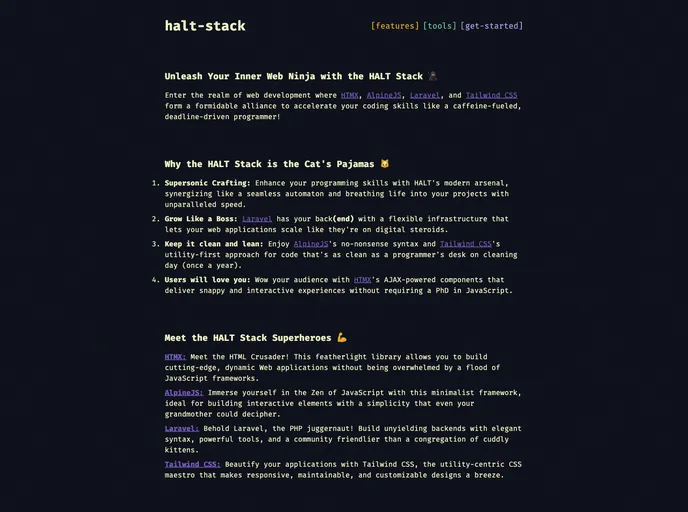
The HALT Stack Starter Kit is a powerful tool for developers looking to enhance their programming skills and create web applications with speed and efficiency. This toolkit combines the modern features of HALT, Laravel, AlpineJS, Tailwind CSS, and HTMX to provide a seamless and flexible infrastructure for building scalable web applications.
Features
- Supersonic Crafting: HALT’s modern arsenal enhances programming skills and breathes life into projects with unparalleled speed.
- Grow Like a Boss: Laravel provides a flexible infrastructure that allows web applications to scale effectively.
- Keep it clean and lean: AlpineJS and Tailwind CSS offer a no-nonsense syntax and a utility-first approach for clean and efficient code.
- Users will love you: HTMX’s AJAX-powered components deliver snappy and interactive experiences without requiring extensive JavaScript knowledge.
Installation
Follow these steps to create a new project using the HALT Stack Starter Kit:
- Create a new project: Use Composer to create a new project using the HALT Stack Starter Kit. Run the following command in your terminal:
composer create-project halt-stack/starter-kit
- Navigate to your new project: Change your current directory to the new project you just created:
cd starter-kit
- Run the build process: Use npm to run the build process:
npm run build
- Start the development server: Use Laravel’s Artisan CLI to start your local development server:
php artisan serve
After running these commands, your application should be available at http://localhost:8000.
Summary
The HALT Stack Starter Kit is a comprehensive toolkit for developers seeking a fast and efficient solution for building web applications. With its powerful features, easy installation process, and support for HTMX, AlpineJS, Laravel, and Tailwind CSS, this toolkit provides an excellent foundation for creating scalable and interactive web experiences.

































































