


 Github Stars:
 Last Commit:
  Created:


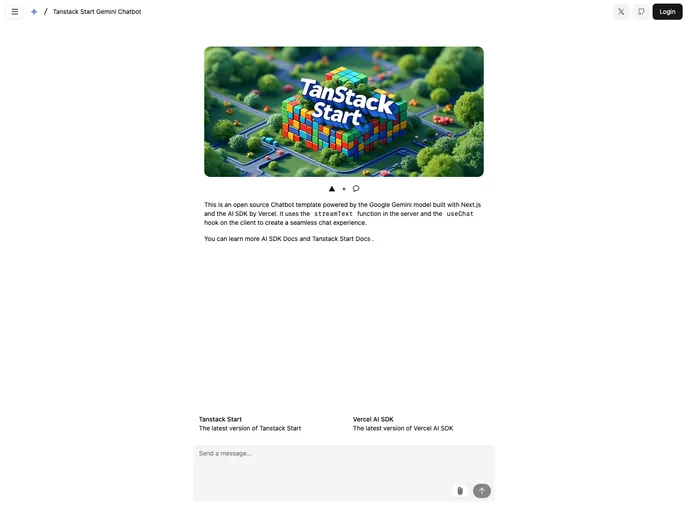
Overview
Tanstack Start is an innovative full-stack React framework that stands out for its versatility and robustness. It integrates modern web technologies such as SSR (Server-Side Rendering), streaming, server functions, and API routes, all while ensuring a seamless deployment experience to popular hosting providers like Netlify, Vercel, and many others. Designed for developers looking to build dynamic applications, it promises to simplify the development process through its extensive features and functionalities.
What sets Tanstack Start apart is its comprehensive support for AI capabilities through its AI SDK. This unified API allows for easy integration of advanced machine learning models, creating exciting possibilities for text generation and dynamic user interfaces. With a strong focus on developer experience, the framework also emphasizes strong authentication, ensuring users can implement robust security measures with ease.
Features
- Full-Stack Functionality: Combines SSR, streaming, server functions, and API routes, integrating seamlessly with TanStack Router, Nitro, and Vite for efficient performance.
- AI SDK: Offers a unified API for generating text and structured objects, supporting multiple model providers such as Google, OpenAI, and Anthropic.
- Flexible Styling Options: Utilizes Tailwind CSS alongside shadcn/ui components, ensuring accessibility and customizable designs for various applications.
- Data Persistence: Supports PostgreSQL, allowing developers to leverage database capabilities from any service provider or local setup.
- Advanced Authentication: Provides a comprehensive authentication framework with features like 2FA, multi-tenancy, and SSO, so developers can focus on building rather than managing security.
- Model Provider Flexibility: Ships with a default model while allowing easy switching to other LLM providers with minimal code adjustments.
- Easy Deployment: Facilitates rapid deployment to Vercel with a single click, alongside clear instructions for local development setups.
- Local Development Support: Includes straightforward setup steps for running local instances, ensuring a smooth development process.


































































