


 Github Stars:
 Last Commit:
  Created:


Overview:
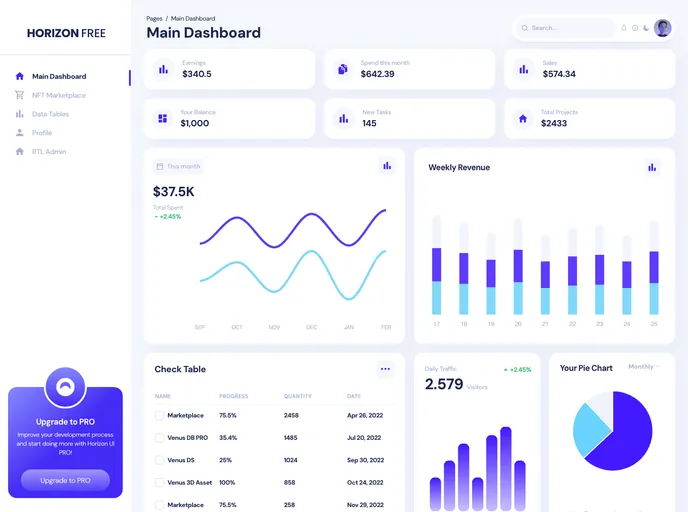
This product is an expansion of the Horizon UI template and is built using Next.js. It provides a Next.js project that is pre-configured with create-next-app. The development server can be run locally, and the resulting page can be viewed in a web browser. The page can be edited by modifying the app/page.tsx file. The project also includes next/font for automatic optimization and loading of the Inter font from Google Fonts. Additionally, there are resources available to learn more about Next.js, such as the official Next.js documentation, an interactive Next.js tutorial, and the Next.js GitHub repository for feedback and contributions. Deployment of the app can be done easily using the Vercel Platform.
Features:
- Expansion of the Horizon UI template
- Built with Next.js and create-next-app
- Local development server
- Editable page through app/page.tsx
- Automatic optimization and loading of Inter font from Google Fonts
- Resources available for learning more about Next.js
- Easy deployment using the Vercel Platform
Installation:
To install the template, follow the steps below:
Clone the repository using the command:
git clone [repository-url]Navigate to the project directory:
cd [project-directory]Install the dependencies:
npm installStart the development server:
npm run devOpen http://localhost:3000 in your web browser to see the result.
Summary:
This product is an expansion of the Horizon UI template and is built using Next.js. It provides a pre-configured Next.js project with options for local development and easy deployment using the Vercel Platform. With automatic optimization and loading of the Inter font from Google Fonts, developers can quickly create and customize their web pages. Resources are also available for those who want to learn more about Next.js and contribute to its development. Overall, this product offers a convenient and efficient solution for building web applications using Next.js.


































































