


 Github Stars:
 Last Commit:
  Created:


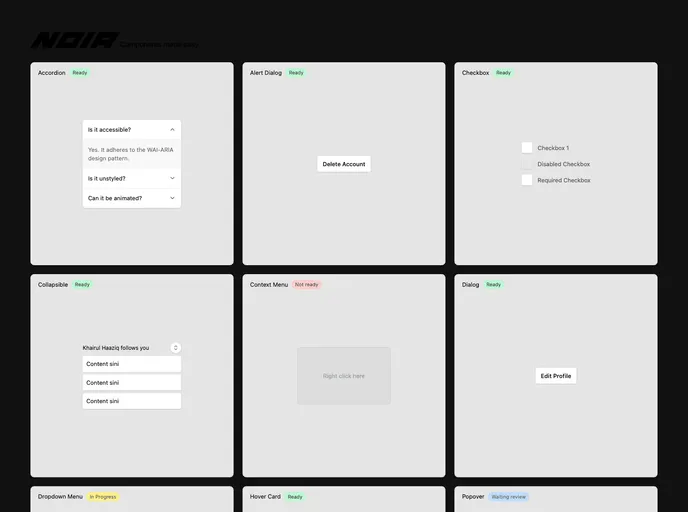
Overview
Noir-UI is a low-level component library designed to help developers build high-quality design systems. It’s built-in accessibility features make it a suitable choice for creating inclusive and user-friendly interfaces.
Features
- Low-level components: Noir-UI offers a wide range of low-level components that can be easily customized and styled to fit the design requirements of different applications.
- Built-in accessibility: With accessibility being a crucial aspect of modern web development, Noir-UI comes with built-in accessibility features that help developers ensure their designs are accessible to all users.
- Quality design systems: Noir-UI aims to assist developers in creating high-quality design systems by providing a comprehensive set of components that can be used to build aesthetically appealing and functional user interfaces.
- Version 0.0.1: The current version of Noir-UI is 0.0.1. Although not recommended for production use, developers can still experiment with it to get a taste of its capabilities.
Installation
To install Noir-UI, follow these steps:
Ensure you have Node.js installed on your system.
Open your terminal or command prompt.
Run the following command to install Noir-UI:
npm install noir-uiOnce the installation is complete, you can import the desired components into your project and start using them.
Summary
Noir-UI is a low-level component library that offers developers a comprehensive set of customizable components for building high-quality design systems. With its built-in accessibility features and ease of installation, Noir-UI is a promising choice for developers looking to create inclusive and visually appealing user interfaces.

































































