


 Github Stars:
 Last Commit:
  Created:


Overview
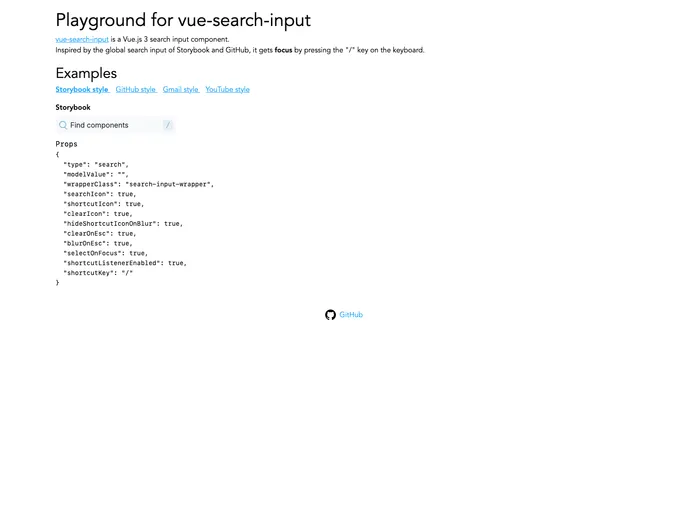
The Vue Search Input component is a sleek and functional addition for any Vue.js 3 application, designed with an aesthetic reminiscent of popular platforms like Storybook and GitHub. This component not only provides a user-friendly search experience but is also equipped with a series of customizable features that enhance its utility. Whether you’re building a large application or a small project, this search component is sure to streamline the search functionalities and improve user interaction.
What’s particularly exciting about this component is its ease of integration and customization. With default CSS styling included, developers can effortlessly adapt it to fit within the look and feel of their applications, making it suitable for a wide range of projects.
Features
- Keyboard Focus Activation: Activate the search input focus by simply pressing the / key, allowing for quick access when users want to initiate a search.
- Customizable Styles: While it comes with default styling, you have the flexibility to apply your own CSS to match your application’s design seamlessly.
- Icon Customization: Fully customizable icons through slots, enabling developers to tailor the icons according to their preferences or brand identity.
- Clear Text Feature: An intuitive x icon appears to the right of the search input, allowing users to easily clear the input field when needed.
- Esc Key Functionality: When the search input is focused, users can press the Esc key to clear the text—this feature is configurable for added convenience.
- Single Instance Focus: It’s recommended to use the SearchInput component once per page to ensure that it captures focus properly upon the / keypress, preventing confusion.
- Wrapper Class Customization: The component’s elements are encapsulated within a wrapper div, which can be customized with additional classes for further styling options.
- Event Handling: Bound events are passed directly to the input element, allowing for seamless integration with Vue’s reactive system.






























































