


 Github Stars:
 Last Commit:
  Created:


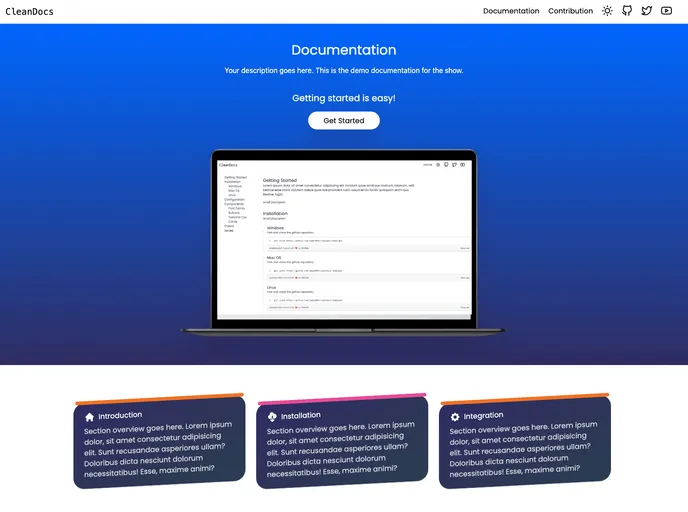
Overview:
The Cleandocs Template is a documentation template that has been developed using HTML, Tailwindcss, and Javascript. It provides a clean and organized layout for creating and presenting documentation.
Features:
- HTML, Tailwindcss, and Javascript: This template has been built using these technologies, allowing for easy customization and integration.
- Clone the repository: Users can clone the repository to access the template and make changes as needed.
- Contributing: All code contributions must go through a pull request and be approved by a core developer before merging to ensure thorough code review.
- Contributors Section: Users can add their information to the contributors section in the index.html file after making changes.
- Contribution Guide: A contribution guide is provided to assist users in adding their information to the website.
- Visual Representation: The template provides a visually appealing layout for presenting documentation.
- Copyright and License: The Cleandocs Template is licensed under the MIT License.
Installation:
To install the Cleandocs Template, follow these steps:
- Clone the repository using the following command:
git clone <repository-url>
Open the index.html file in a code editor.
Make any desired changes to the template.
Add your information to the contributors section in the index.html file.
Save the changes.
Deploy the template to a web server or open the index.html file in a web browser to view the documentation.
Summary:
The Cleandocs Template is a comprehensive and visually appealing documentation template built using HTML, Tailwindcss, and Javascript. It offers a range of features, including easy customization through cloning the repository, a contribution process with code review, a contributors section, and a contribution guide. With its clean design and clear layout, this template is a great choice for creating and presenting documentation.


































































