


 Github Stars:
 Last Commit:
  Created:


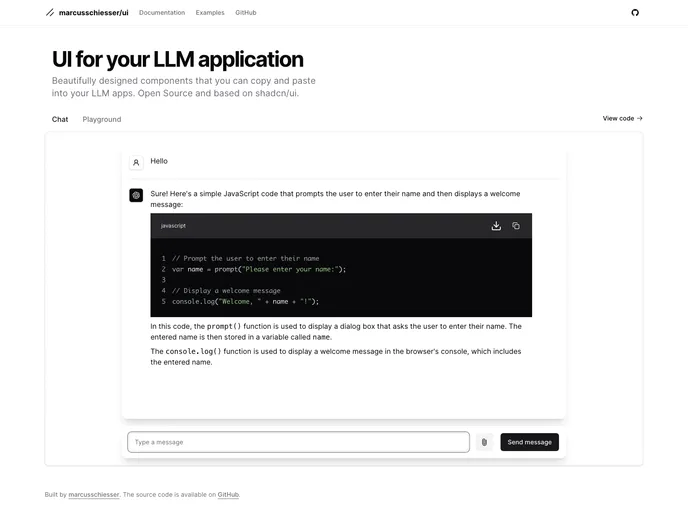
Overview:
uiAccessible is a free and open-source library that provides accessible and customizable components for your LLM (Low-Level Machine) application. With uiAccessible, you can easily integrate these components into your application by simply copying and pasting the code. The library aims to improve accessibility and provide a seamless user experience.
Features:
- Accessible components: uiAccessible offers a wide range of components that adhere to accessibility guidelines, ensuring that users with disabilities can easily navigate and interact with your application.
- Customizable: Each component in uiAccessible is built with customization in mind, allowing you to easily modify and style them to match the look and feel of your application.
- Copy and paste integration: Integrating the components from uiAccessible is as simple as copying and pasting the provided code snippets into your application. This makes the integration process quick and hassle-free.
Installation:
To install uiAccessible, follow these steps:
- Clone the repository by running the following command in your terminal:
git clone https://github.com/marcusschiesser/uiAccessible.git
- Navigate to the cloned repository:
cd uiAccessible
- Install the dependencies:
npm install
- Use a package manager of your choice to include the components in your application. For example, with npm:
npm install uiAccessible
- Import the desired components in your project and start using them:
import { Button, TextInput } from 'uiAccessible';
Summary:
uiAccessible is a valuable open-source library that provides accessible and customizable components for LLM applications. Its features such as accessibility compliance, easy customization, and hassle-free integration make it a great choice for developers looking to enhance the accessibility and user experience of their applications. With clear documentation and a helpful community, uiAccessible is a powerful tool for creating accessible applications.


































































