


 Github Stars:
 Last Commit:
  Created:

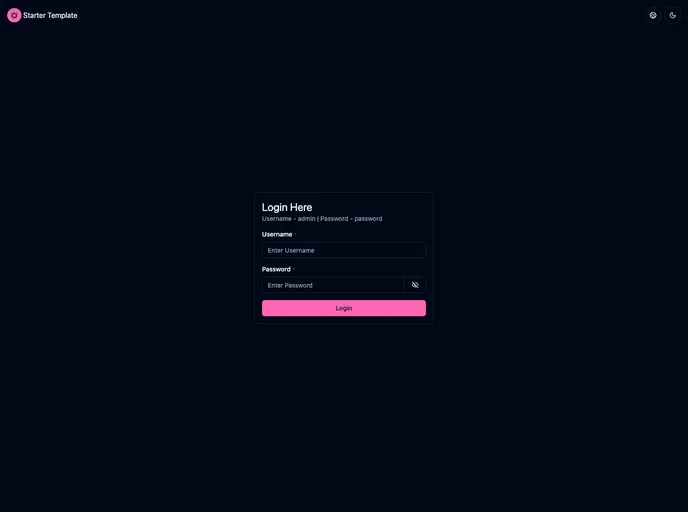
Overview
The React.js Admin Portal Starter Template is a modern solution for developers looking to create a scalable and responsive dashboard application. With a focus on user experience and performance, this template supports essential functionalities like authentication, data management, and visual representation, making it an excellent choice for both seasoned developers and those new to the React ecosystem. The template’s design accommodates both light and dark themes, ensuring a flexible user interface suitable for various preferences.
This starter template not only provides a solid foundation for building applications efficiently but also includes a wealth of features aimed at enhancing usability and accessibility. By integrating powerful tools for data fetching and UI management, it stands out as a comprehensive toolkit for anyone looking to develop a robust admin portal.
Features
API Integration using Axios and TanStack Query: Facilitates seamless communication with external APIs while ensuring data consistency and optimized error handling.
Data Table using TanStack Table: Offers a customizable, high-performance data table with features like pagination, sorting, and filtering, accommodating diverse data types efficiently.
Download Report in Excel: Users can easily export data to Excel, simplifying the process of sharing and analyzing information with one-click downloads.
Form Integration and Validation using React Hook Form and Zod: Streamlines form management with efficient validation and error handling, ensuring accurate user input quality.
Modal and Toast Notifications: Enhances user experience with overlay modals for confirmations and toast notifications for instant feedback on user actions.
Charts: Displays data visually through various formats using Chart.js, making the information more engaging and easier to understand.
Localization (i18n): Supports multiple languages by implementing localization, allowing for an inclusive application that caters to a global audience.
Idle State Detection: Tracks user inactivity to implement functionalities like session timeouts or notifications, ensuring security and enhancing user engagement.
Dark Mode and Light Mode: Enables users to switch between themes easily, providing a visually appealing interface tailored to their preferences.

































































