


 Github Stars:
 Last Commit:
  Created:


Overview:
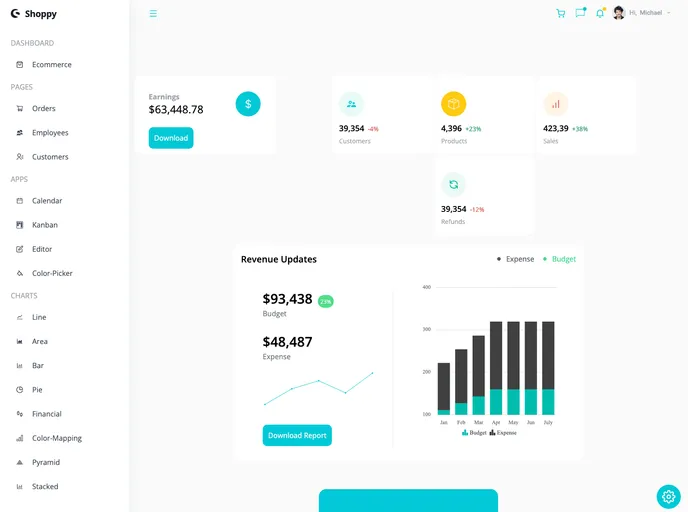
This Admin-Dashboard front end clone is built using ReactJS. It is a clone of an existing Admin-Dashboard and serves as a user interface for managing and monitoring data.
Features:
- Built with ReactJS.
- Provides a user-friendly interface for managing and monitoring data.
- Allows for customization and configuration according to user’s requirements.
Installation:
To install the Admin-Dashboard front end clone, follow these steps:
- Clone the repository from GitHub.
- Open the project directory in your terminal.
- Run the command
npm installto install the required dependencies. - Once the installation is complete, run
npm startto start the development server. - Open your browser and go to http://localhost:3000 to view the Admin-Dashboard.
- Make any necessary changes to the code according to your requirements.
Summary:
The Admin-Dashboard front end clone is a user-friendly interface built with ReactJS for managing and monitoring data. It provides a range of features and can be easily customized to suit individual needs. Follow the installation guide to set up the Admin-Dashboard on your local machine.



































































