


 Github Stars:
 Last Commit:
  Created:




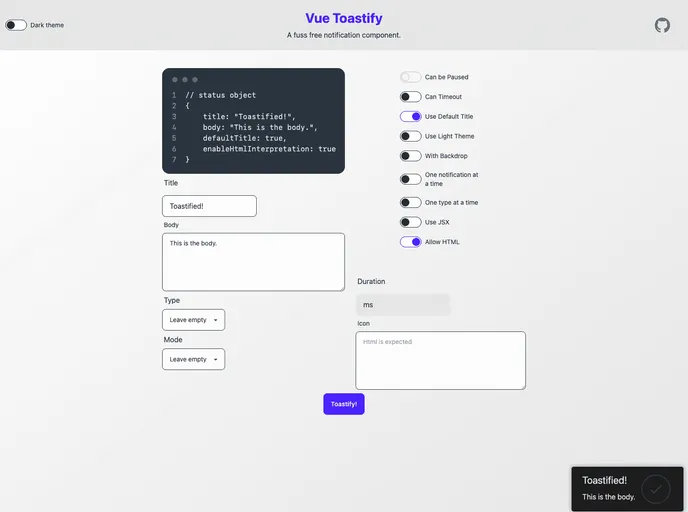
Overview
Vue Toastify is a powerful toast notification library designed for Vue.js applications, particularly those built with Nuxt. It provides a simple yet effective way to display alerts and messages to users without disrupting their workflow. With its easy installation and customizable features, Vue Toastify is an excellent choice for developers looking to enhance user experience through notifications.
The integration of Vue Toastify within a Nuxt application is smooth and efficient. By leveraging lazy loading, you can minimize the initial bundle size, ensuring faster load times. The flexibility offered in customizing notifications makes it suitable for a variety of applications, from simple projects to complex enterprise solutions.
Features
- Installation: Effortlessly integrate Vue Toastify into your Nuxt project using a plugin, allowing for quick setup and configuration.
- Custom Notifications: Easily create and register custom notification methods that streamline repeated actions in your application, enhancing efficiency.
- Theming Options: Choose between a default ‘dark’ theme or a ’light’ theme, with the option to create fully custom styles through provided helpers.
- Lazy Loading Support: Optimize your application’s performance by using lazy loading for the toast notifications plugin, ensuring quicker initial load times.
- Event Handling: The plugin emits events that you can listen to, enabling the use of callbacks during different points in a toast’s lifecycle for greater control.
- Toast Options: Customize settings on a per-toast basis, allowing for unique configurations tailored to specific notifications without affecting defaults.
- Global Settings: Set up global notification settings for consistent appearance and behavior across your entire application.
- Future Proofing: Stay informed with migration details, ensuring you can adapt to upcoming changes like the default behavior of HTML interpretation.




























































