


 Github Stars:
 Last Commit:
  Created:
Overview
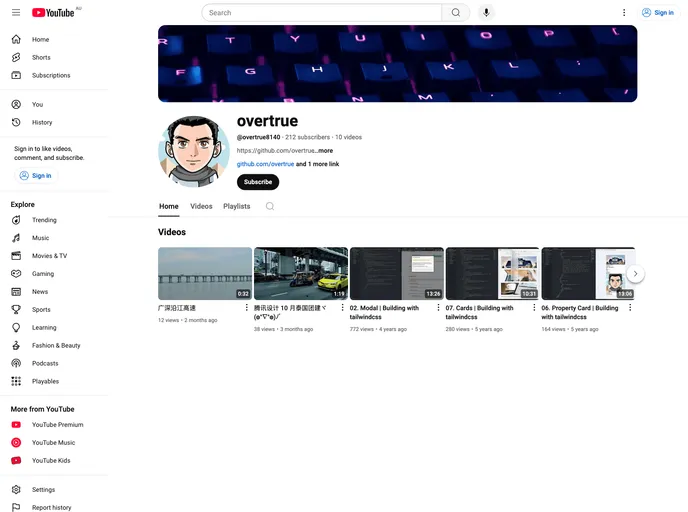
Building with tailwind css is a series of videos that provide tutorials on various components and layouts using Tailwind CSS. The series is available on both Youtube and Bilibili platforms. The videos cover topics such as sign-in forms, video cards, profile cards, dashboard layouts, navbar, property cards, modal, and more. The creator encourages viewers to subscribe and support the project.
Features
- Sign-in form
- Video card
- Weibo profile card
- Dashboard layout
- Navbar
- Property Card
- Modal
Installation
To use the Tailwind CSS theme, you can follow these steps:
- Install Tailwind CSS using npm:
npm install tailwindcss
- Create a
tailwind.config.jsfile in your project root and add the following content:
module.exports = {
  purge: [],
  theme: {
    extend: {},
  },
  variants: {},
  plugins: [],
}
- Import the Tailwind CSS styles into your project’s main stylesheet:
@import 'tailwindcss/base';
@import 'tailwindcss/components';
@import 'tailwindcss/utilities';
- Start using the Tailwind CSS classes in your HTML markup.
Summary
The “Building with tailwind css” video series provides tutorials on various components and layouts using Tailwind CSS. The series covers a range of topics and offers step-by-step instructions on implementing each component. The videos are available on Youtube and Bilibili, and the creator encourages viewers to subscribe and support the project. To use the Tailwind CSS theme, you need to install it using npm, create a configuration file, import the styles, and start using the classes in your project.



































































