


 Github Stars:
 Last Commit:
  Created:



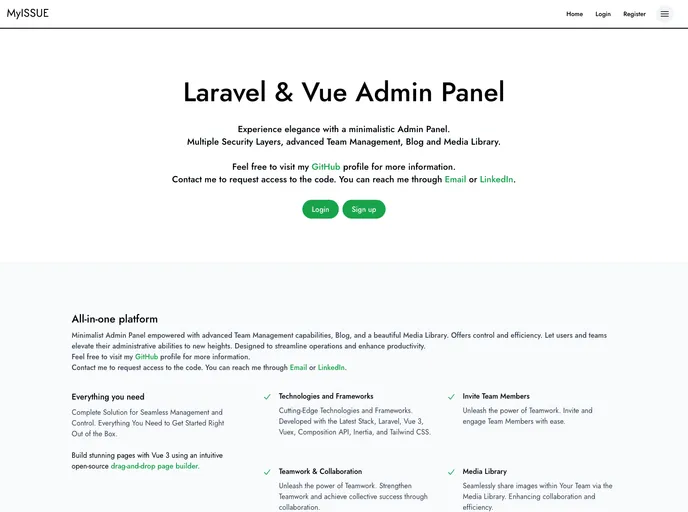
Overview:
This product is a Laravel & Vue admin panel that aims to provide a minimalist and intuitive design. It was developed by someone with several years of experience in design and development and is built with cutting-edge technologies such as Laravel, Vue 3, Inertia, and Tailwind CSS.
Features:
- Minimalist and intuitive design.
- Developed with the latest stack of technologies including Laravel, Vue 3, Inertia, and Tailwind CSS.
- Easy installation process.
- Ability to clone the repository locally.
- Ability to install PHP and NPM dependencies.
- Option to build assets.
- Ability to set up configuration and generate an application key.
- Ability to create a database and run migrations and seeders.
- Easy project startup and rebuilding of assets during development.
Installation:
To install this Laravel & Vue admin panel, follow these steps:
Clone the repository locally:
git clone [repository-url]Install PHP dependencies using Composer:
composer installInstall NPM dependencies:
npm installBuild assets:
npm run devSetup configuration: Copy the
.env.examplefile to.envand configure the necessary environment variables.Generate an application key:
php artisan key:generateCreate a database:
touch database/database.sqliteRun the database migrations:
php artisan migrateRun the database seeder:
php artisan db:seedStart the project:
php artisan serve
Additionally, if you want to rebuild your assets during development, you can run the following command separately:
npm run watch
Please note that these instructions assume you have PHP, Composer, and Node.js installed.
Summary:
This Laravel & Vue admin panel offers a minimalist and intuitive design and is built with the latest stack of technologies including Laravel, Vue 3, Inertia, and Tailwind CSS. The installation process is straightforward and it provides several features such as easy dependency installation, asset building, database setup, and project startup. Overall, this admin panel is a useful tool for managing administrative tasks and offers a great user experience with its elegant design.































































