


 Github Stars:
 Last Commit:
  Created:
Overview:
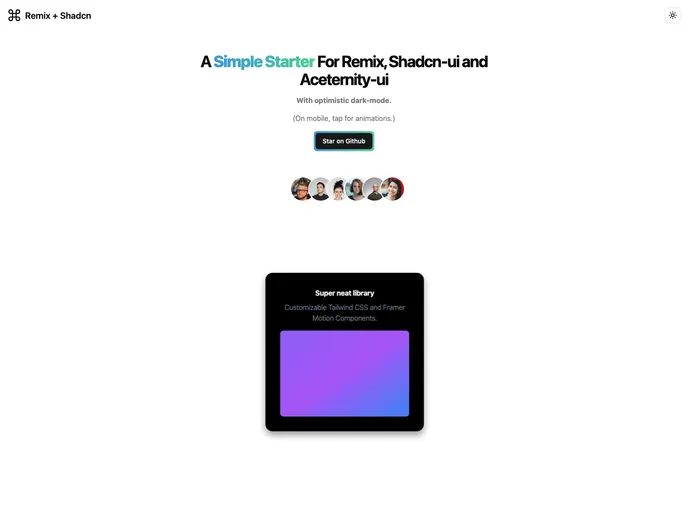
The Remix + Shadcn-ui Starter is a simple starter package that combines the Remix framework with the Shadcn-ui library. It offers an optimistic dark-mode feature based on @kentcdodds’s client-hints library. The main purpose of this starter is to provide a reusable repository for quickly setting up a Remix starter with the Shadcn-ui library.
Features:
- Remix framework integration: The starter package seamlessly integrates the Remix framework, allowing developers to build robust web applications.
- Shadcn-ui library: The package includes the Shadcn-ui library, which provides a set of UI components and styles for creating visually appealing and responsive designs.
- Optimistic dark-mode: The optimistic dark-mode feature, based on @kentcdodds’s client-hints library, allows users to easily switch between light and dark modes, enhancing the user experience and accessibility of the application.
Installation:
To install the Remix + Shadcn-ui Starter, follow these steps:
- Open your terminal.
- Run the following command:
npm install remix-shadcn-ui-starter. - Once the installation is complete, navigate to the project directory.
- Open the project in your preferred code editor.
- Customize the project based on your requirements.
- Run the command
npm startto start the development server. - Open your browser and visit
http://localhost:3000to see the application running.
Summary:
The Remix + Shadcn-ui Starter is a convenient package for developers who want to quickly set up a Remix starter with the Shadcn-ui library. Its integration with the Remix framework and inclusion of the Shadcn-ui library make it easy to build visually appealing web applications. Additionally, the optimistic dark-mode feature enhances the user experience by allowing users to switch between light and dark modes. Overall, this starter package provides a reusable foundation for creating Remix applications with Shadcn-ui.



































































