


 Github Stars:
 Last Commit:
  Created:




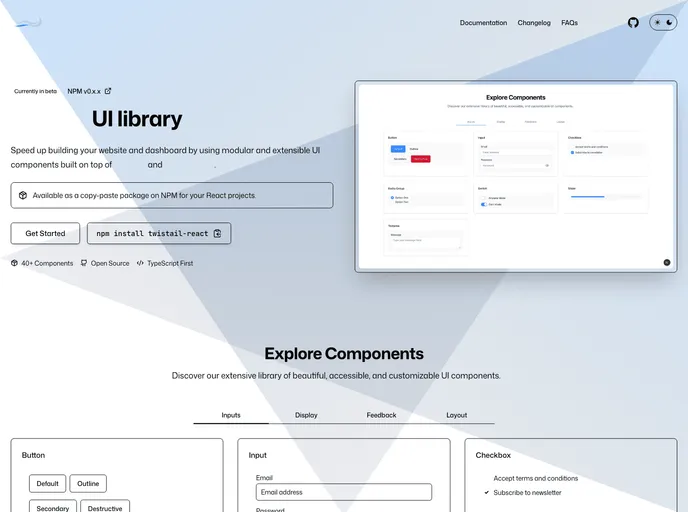
Overview
This article is about Twistail, a modular and extensible React components library powered by Tailwind CSS, React Aria, and React Stately. The author expresses gratitude to contributors and recognizes the value of open-source projects in the community. The article also mentions two projects that inspired the development of Twistail: React Icons and Tremor. The project is open-sourced and licensed under the MIT license.
Features
- Modular and Extensible: Twistail provides a modular and extensible React components library.
- Powered by Tailwind CSS, React Aria, and React Stately: The components in Twistail are built using Tailwind CSS, React Aria, and React Stately.
- React Icons Integration: The author was inspired by React Icons to build their own React icons component from SVG.
- Tremor Integration: Twistail is built on top of React and Tailwind CSS, similar to the Tremor library which enables fast dashboard development.
Installation
To install Twistail, follow these steps:
- Clone the Twistail repository from GitHub:
git clone https://github.com/username/twistail.git
- Install the required dependencies using npm:
npm install
- Start the development server:
npm start
- Access Twistail in your browser at
http://localhost:3000.
Summary
Twistail is a modular and extensible React components library that leverages Tailwind CSS, React Aria, and React Stately. Inspired by React Icons and Tremor, the library provides a range of components for building user interfaces. Twistail is open-source and licensed under the MIT license, with credits given to contributors. Developers can contribute to the project on GitHub and show support through GitHub sponsors.































































